Skills development helps companies improve overall performance and maintain a competitive edge. But it doesn’t come cheap. This is why finding an affordable Learning Management System (LMS) is crucial for growth-driven organizations, especially small to mid-sized businesses. There are many budget-friendly options on the market, but finding one that provides the best value for your unique needs can be challenging.
Is a low-cost LMS any good?
Choosing a free or budget-friendly LMS to upskill your teams might seem to involve a major compromise. That’s not necessarily the case. In fact, some of the most groundbreaking digital products (such as those from Microsoft, Facebook, and Google) provide a ton of free services. The same goes for learning management systems.
Some of the most groundbreaking digital products provide a ton of free services.
To make a well-informed decision, consider the track record and support community associated with each low-cost learning platform on your list. An affordable LMS doesn’t mean you have to skimp on quality. When doing your research, look for budget-friendly LMSs that have good reviews on independent rating sites and those with an active user community behind them. This is how you’ll get a feel for the quality and reliability of the platform’s offerings from real users.
Best free and affordable learning management systems (LMS) for small business
Here’s a shortlist of 10 highly-rated learning management systems that offer free subscriptions or low-cost plans. For each LMS, I’ve researched key details that can help you find the right balance between cost, feature set, and scalability.
If you run a small business, choosing the right LMS increases the likelihood of achieving your training goals and the business outcomes that depend on them. For companies on a tight budget, it's critical to find solutions that are both affordable and reliable.
Here are the top 10 e-learning platforms known for cost-efficiency, functionality, and range of features.
1. GoSkills LMS
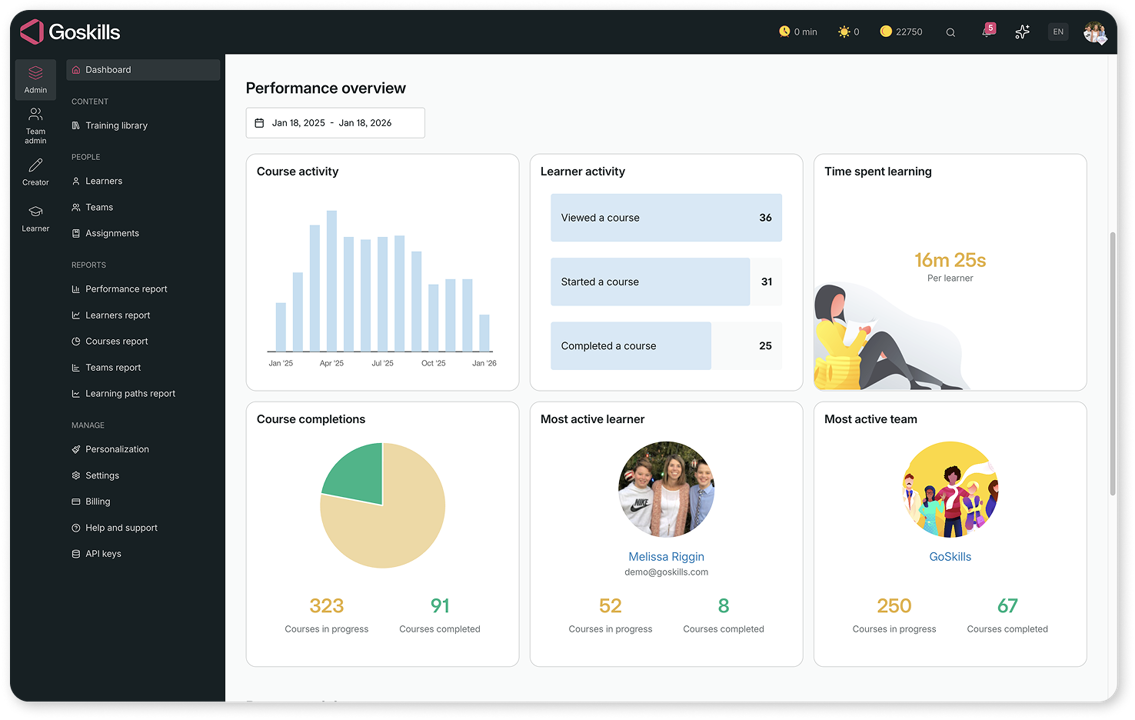
GoSkills LMS is a budget-friendly, easy-to-use learning management system for upskilling teams of all sizes. The platform comes with a built-in course library and the ability to create or upload your own courses.
|
Features |
Personalized learning experiences, byte-sized lessons, gamification, robust analytics and reporting, high-quality course library, course builder, and AI-powered content authoring. |
||||||||||
|
Pros |
Easy to use and quick to implement; option for free forever plan. |
||||||||||
|
Cons |
Limited white-labeling features. |
||||||||||
|
Pricing |
A free plan for an unlimited number of learners is available. Paid plans start at $9.25 per user per month for a team of five learners and scale down to just $5.10 per user for a team of 50. Larger teams get further discounts. |
Boost your business
Get access to free courses and resources to unlock your business' potential — it only takes a minute!
Claim your free business account2. LearnDash

LearnDash is a light WordPress plugin that transforms a WordPress site into a learning platform for creating and selling courses, administering quizzes, and awarding certificates.
|
Features |
Role assignments, course creation, attendance tracking, test/assessment engine, support for many learning approaches, reporting, built-in shopping cart |
||||||||||
|
Pros |
Easy integration with the widely used WordPress platform; extensive user and developer community. |
||||||||||
|
Cons |
Only suitable for WordPress sites. Setup requires some technical expertise. |
||||||||||
|
Pricing |
Starts at $199 per year for a single-site license. |
3. TalentLMS

TalentLMS helps companies organize training programs to keep learners on track, deliver engaging courses on any device, and scale skills development through reporting and automation.
|
Features |
Content creation, management, and delivery; assessments, practice, and tracking engine; course library; learning administration and reports. |
||||||||||
|
Pros |
Simple user interface, broad content variety, and scalability. |
||||||||||
|
Cons |
Limited customization features and integration challenges. |
||||||||||
|
Pricing |
A free plan is available. The starter plan costs $69 per month (billed annually) for up to 40 users. |
4. Moodle

Moodle is a free and open-source learning platform typically used by schools, colleges, and companies for distance education, blended learning, and workplace training.
|
Features |
Course authoring, course library, assignments, learning administration, and compliance with elearning standards (SCORM, AICC HACP, LTI, and IMS). |
||||||||||
|
Pros |
Long development history, active support community, and robust progress tracking features. |
||||||||||
|
Cons |
Mixed user feedback on various review sites, with many negative comments about its lack of customization features and complex navigation/user interface. |
||||||||||
|
Pricing |
Free to use under the GPL (General Public License). |
5. Canvas LMS

Canvas LMS is a scalable open-source elearning platform originally designed and still largely used for educational applications.
|
Features |
Course authoring, assignments, learning administration, content library, tests engine, gamification, progress tracking, and reports. |
||||||||||
|
Pros |
Scalable and easy to use. |
||||||||||
|
Cons |
Lack of customization features and challenges with customer support. |
||||||||||
|
Pricing |
Canvas LMS is free as open-source software. Hosting services are on a four-tier pricing model (Minimal, Small, Medium, and Enterprise) that starts at $100 per month. |
6. Sakai

Sakai is a free, open-source elearning platform designed to support research, training, education, and collaboration.
|
Features |
Course authoring, tests engine, reporting, grade management, certifications, and mobile support. |
||||||||||
|
Pros |
Developed for scalability, reliability, interoperability, and compliance. |
||||||||||
|
Cons |
Basic software build might require significant enhancements and customizations to serve different business requirements and goals. |
||||||||||
|
Pricing |
Sakai is free to download, use, and customize. |
7. Thinkific

Thinkific is an online course authoring service that enables instructors, coaches, L&D professionals, and domain experts to create, market, and sell elearning content.
|
Features |
Course creation tools, website hosting, marketing tools, e-commerce support, and learner engagement tracking. |
||||||||||
|
Pros |
Easy-to-use course authoring features and support for monetization. |
||||||||||
|
Cons |
The free plan has very limited features. |
||||||||||
|
Pricing |
A free plan is available for instructors and course creators. The cost of paid plans for full LMS capabilities is available upon request. |
8. Zoho Learn

Zoho Learn is a training platform and knowledge base system for organizations. It can be used to create online courses and monitor training outcomes.
|
Features |
Course authoring, social learning, templates, course library, assignments, progress tracking, and mobile support. |
||||||||||
|
Pros |
Integrates seamlessly with other apps and services under the Zoho umbrella. |
||||||||||
|
Cons |
The free plan is limited to five users and five courses and lacks basic features like course reporting and custom portals. |
||||||||||
|
Pricing |
Free plan available for up to five users. Paid plans start at $1 per user/month. |
9. Google Classroom

Google Classroom is a blended learning platform that is provided free of charge for schools, non-profit organizations, and G-suite users.
|
Features |
Assignments, course categories, grade management, class communication, course archiving, mobile app version. |
||||||||||
|
Pros |
Free to use and easy to set up, seamless integration with other Google apps and collaboration tools. |
||||||||||
|
Cons |
Limited capabilities in terms of content structuring and integration with third-party applications. |
||||||||||
|
Pricing |
Free to use. |
10. SC Training (formerly EdApp)

Rebranded as SC Training, EdApp is a mobile-first microlearning platform that offers a content library, a course creation toolset, and administrative capabilities for tracking learner progress.
|
Features |
Course authoring, delivery, and management; content library, gamification, certifications, progress tracking, and reports. |
||||||||||
|
Pros |
Ease of use, intuitive course authoring tool, and engaging approach (mobile+micro) for modern learners. |
||||||||||
|
Cons |
Limited number of business courses, lack of flexibility in course assignments, and inconvenient sign-up process. |
||||||||||
|
Pricing |
A free plan for up to ten learners is available in addition to two paid plans: Premium and Enterprise. |
Buying guide for budget-friendly LMSs
When selecting a low-cost LMS, it’s important for small businesses to balance budget constraints with the essential features that meet your company’s L&D requirements. Start by determining your organization's specific needs (e.g., number and type of learners, training objectives, type of course content, and required integrations with existing systems such as those used by HR).
At the minimum, a viable LMS should have:
- an import/export function (for cases where a built-in course authoring tool is unavailable)
- a content library
- user management functions
- detailed reporting
To reduce risk, you should also make sure that the solutions in your shortlist follow data security, privacy, and compliance standards.
Anything less will have little value in the long run and might even become a liability in your talent development program. Expect that free and low-cost starter plans will only have basic features, and some nice-to-haves (such as a full feature set, technical support, updates, and customization) will only be available with a paid plan.
Choosing the LMS That’s Best For You
Learn how to evaluate learning management systems against your unique needs.
Take advantage of free trials and freemium accounts. This will allow you to try out and assess the feature set and applicability of each platform. You can compare services and reasonably determine which option best meets your business needs.
Otherwise, prioritize learning platforms that offer transparent pricing schemes with no hidden costs. Many platforms implement a tiered pricing or pay-per-user model, which can scale with your business. GoSkills, for example, offers progressive discounts on per-user costs as your business grows.
Final tips for starting now
Many top-rated learning platforms, including GoSkills, have a free-forever plan as well as flexible payment options, like monthly and tiered pricing. That means you only pay for the number of licenses you actually need, and you won't be sacrificing quality, dependability, scalability, or feature set. You just need to match your specific needs with the capabilities of the best platform for you and make the smartest decision for your company.
Remember, the right affordable LMS should not only fit your budget. That’s just the baseline. Ultimately, your choice should also help achieve your learning goals, elevate the skills of your team, and actively support your growth strategy.
Boost your business
Get access to free courses and resources to unlock your business' potential — it only takes a minute!
Claim your free business account